Read the profile.
Check the photo and pet details. Read any public alerts or instructions that appear.

FOR THE PERSON WHO STOPS TO HELP
A Driyu tag can open their profile and give you a way to contact the owner. Start with the QR or the printed code.
No app or account needed to open the public profile.
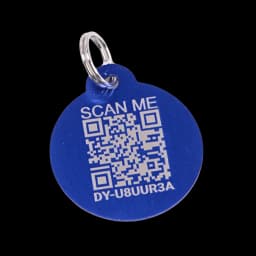
The code is on the tag.Look below the QR. The form opens that tag’s page in the Driyu app.
Enter the code printed on the tag to open its public page.
Try the walkthrough with Milo and fictional details. No real tag is looked up.
AFTER OPENING THE LINK
Check the photo and pet details. Read any public alerts or instructions that appear.
Use the phone, email, or emergency contact options the owner has made visible.
If the pet or tag is marked lost, “I FOUND THIS PET” appears. Reporting and sharing location are separate steps.
A free profile, their tag, and membership options.